
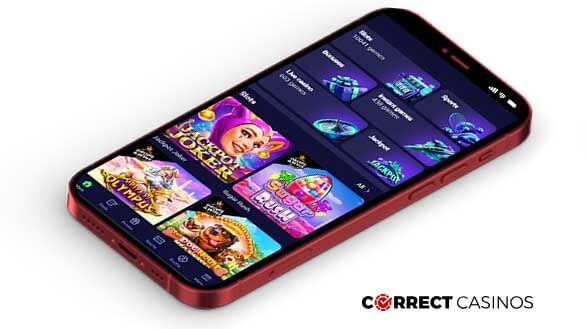
The Betmatch Casino mobile app brings live dealer games straight to smartphones and tablets, enabling players to enter real-time blackjack, roulette, and baccarat tables from any device that is supported. This article explains specifically how to download and install the app, which devices and operating systems work with it, and the performance to expect during extended live sessions. Readers can also find step-by-step instructions for sideloading on Android, information on data usage, and information on in-app tools that vary from the desktop site. By the end, you will know whether or not the app fulfills your technical requirements and how to start playing live dealer games without any interruptions.
Obtaining the Betmatch Casino App for Android
Android users download the APK file straight from the Betmatch Casino website rather than through the Google Play Store. Go to the mobile section of the site, tap the Android download button, and enable installation from unknown sources in your security settings. The file size is around 92 MB, and the download finishes in under two minutes on a 4G or 5G connection. After the file saves, open it and follow the on-screen prompts to finish installation. The app then shows up in the app drawer and requests storage and camera permissions needed for live streaming and identity verification.
Once the app icon is visible, tap it to start the onboarding wizard. Germany players are walked through language selection, deposit currency, and responsible gaming preferences. The wizard also provides an optional tutorial that demonstrates how to open a live blackjack table and place the first wager. Finishing these steps ensures the app is configured correctly before real money play begins.
Security Checks Before Installation
Before opening the downloaded APK, check the file with built-in Android malware protection or a reputable third-party scanner. Verify that the file hash displayed on the Betmatch Casino site matches the downloaded file to guarantee integrity. Enable Google Play Protect temporarily during installation, then disable it afterward if preferred. These steps reduce the risk of installing modified packages that could compromise account credentials or payment details.
Many Germany users also activate biometric login immediately after installation. Fingerprint or face recognition provides a second layer of protection when the device is shared with family members. The app stores these settings locally, so even if the phone restarts, the security preferences remain intact. Regular scans of the APK folder further reduce the chance of accidental installation of outdated versions.
Mobile Features That Are Different From the Desktop Site
The mobile app includes a one-tap deposit feature that stores encrypted payment details for speedier transactions than the desktop checkout flow. Push notifications inform players when their preferred dealer goes live or when a table limit changes, information missing on the desktop lobby. Picture-in-picture mode allows users to hold a minimized video feed visible while moving between other apps, a function absent from the browser version. Battery optimization settings in the app increase playtime by limiting background processes and reducing screen brightness during live sessions.
Germany players appreciate the quick deposit button when depositing funds between rounds. The feature works with saved bank accounts and e-wallets, reducing checkout time to under ten seconds. Push notifications can be tailored so only high-priority alerts, like a seat opening at a favorite table, reach the device.
Profile Management Tools
In the app, players can modify responsible gaming limits right from the profile menu without going to a separate webpage. Deposit, loss, and session time limits refresh instantly and work across all devices linked to the same account. Two-factor authentication setup utilizes the device’s native authenticator app, removing the need for SMS codes during high-frequency live play. These tools provide the same security standards as the desktop site but with faster access on mobile.
- Establish daily deposit caps that reset at midnight CET.
- Enable cool-off periods running 24 hours to 30 days.
- Review detailed session history with time stamps and stakes.
Refreshing the App and Managing Storage
App updates show up as in-app notifications rather than requiring manual store visits. Selecting the update prompt fetches the new version in the background while maintaining login credentials and game preferences. The app holds approximately 120 MB of cached video assets; purging this cache through the settings menu opens up space without impacting account data. Automatic updates can be disabled in device settings when players want to review release notes before installing. Maintaining an up-to-date app guarantees compatibility with new live dealer titles and security patches issued by Betmatch Casino.
Germany users traveling abroad often disable automatic updates to prevent large downloads on expensive roaming plans. Instead, they connect to home Wi-Fi and install updates manually. The release notes inside the app clearly list bug fixes and new game additions, assisting players in deciding whether an immediate update is necessary.
Sideloading on Android Devices
When the direct APK link is blocked or blocked by regional carriers, sideloading provides an alternative route. First, activate installation from unknown sources in the device settings under security or apps. Use a file manager to access the downloaded APK, then tap to begin installation. If the device shows a blocked installation warning, allow temporary permission and proceed. After the app installs, return to security settings and disable the unknown sources toggle to reinstate default protection levels. Sideloading does not affect future app updates, which still arrive through the in-app update mechanism.
Germany players who travel frequently sometimes rely on sideloading when hotel or airport Wi-Fi blocks the official download portal. In these situations, downloading the APK at home and transferring it via USB ensures the process simple. Always keep a copy of the verified APK on a secure cloud drive so reinstallation on a new device remains straightforward.
Frequent Sideloading Errors and Resolutions
Installation failures often stem from insufficient storage space or corrupted downloads. Free at least 200 MB of internal storage before attempting installation again. If the app crashes on launch, clear the cache partition through the recovery menu or reinstall the APK. Devices running custom ROMs may require additional permissions; consult the Betmatch Casino support documentation for specific ROM configurations. Keeping the device firmware updated lowers compatibility issues during sideloading.
- Free up at least 300 MB of cache if the installer reports low space.
- Fetch again the APK if the file size differs from the published value.
- Restart the device after installation to finalize permission changes.
Efficiency and Data Usage During Live Sessions
Dealer video feeds utilize between 1.2 GB and 1.8 GB of data per hour at the default video quality setting. Switching to the low-bandwidth mode cuts consumption to approximately 600 MB per hour while preserving 480p resolution. Frame rates hold steady above 25 fps on 4G networks with signal strength above -85 dBm. On Wi-Fi, the app chooses automatically the highest available quality, up to 1080p, assuming the connection exceeds 5 Mbps upload and download speeds. Background data restrictions are available in device settings to avoid updates from disrupting active tables.
Germany players on Telekom or Vodafone networks report stable performance during peak hours. If signal strength falls under recommended levels, the app smoothly lowers resolution rather than freezing. Keeping the device in airplane mode with Wi-Fi enabled often yields the steadiest connection in crowded areas such as train stations or stadiums.
Optimizing Connection Stability
Players facing lag need to first measure their connection speed using an external speed-test application. If upload speeds fall below 3 Mbps, switch to a different network or reduce video quality within the app settings menu. Shutting down background applications liberates RAM and prevents frame drops during peak dealer activity. The app also offers a network indicator icon that changes color from green to amber when latency goes over 150 milliseconds, providing players early notice before disconnections occur.
- Perform a speed test and note upload and download values.
- Switch to 5 GHz Wi-Fi if available for lower latency.
- Shut down bandwidth-heavy apps like cloud backups during play.
- Enable the in-app low-bandwidth toggle when on mobile data.
System and Platform Compatibility
Before installing, check that your smartphone or device satisfies the platform and device specifications provided on the verified Betmatch Casino app page. The iOS build needs devices running iOS 13.0 or later, while the Android version supports Android 7.0 and higher. Screen clarity should be no less than 1280 by 720 points to display dealer video broadcasts without cropping. Processors launched after 2018 usually sustain stable frame rates above 30 fps, but older chipsets could lose frames during maximum table traffic. RAM of 3 GB or more stops the app from refreshing mid-session when numerous tables are running. Verifying these specifications in your device configuration eliminates compatibility problems after installation.
Germany players frequently employ mid-range smartphones that fulfill these limits readily. For instance, an iPhone 11 or Samsung Galaxy A52 both deliver smooth 1080p broadcasts when linked to stable 5G. Previous units such as the iPhone 7 or Galaxy S8 can continue to run the app, yet they may demand the low-bandwidth mode to prevent stuttering. Tablets with bigger screens improve visibility of card symbols and wheel sections, which is useful during longer periods. Always confirm that the device battery condition continues to be above 80 percentage, because live video consumes power rapidly and sudden terminations can interrupt active bets.
Live Dealer Game Selection Inside the App
Once logged in, click the Live Casino tab to view available tables sorted by game type and stake level. Blackjack tables range from low-limit European variants to high-stakes VIP rooms, each displaying real-time seat availability and minimum bets. Roulette options feature single-zero French and multi-ball American wheels, with side bets such as red-black or even-odd presented in separate panels. Baccarat rooms feature standard punto banco alongside dragon tiger and speed baccarat for faster rounds. Filters enable sorting by dealer language, table limits, and game speed so players can locate preferred environments quickly.
Germany players often choose tables with German-speaking dealers during evening hours. The language filter renders these tables easy to find, and many dealers welcome players by name after a few visits. High-limit rooms usually start after 8 p.m. CET, giving serious players access to larger betting ranges without long wait times.
Table Layout and Controls
Each live table launches in full-screen mode with adjustable video quality settings. Pinch-to-zoom enables players focus on card or wheel close-ups, while a floating bet panel remains accessible without obstructing the dealer feed. Chat functionality offers predefined quick messages and custom text entry, moderated to maintain respectful conversation. Statistics panels display recent outcomes and hot or cold numbers, updating after every round. These interface elements match desktop functionality but are optimized for thumb navigation on smaller screens.
Players can also toggle a compact view that shrinks the video feed and expands the betting panel. This layout is beneficial on smaller phones where screen space is limited. Gesture controls permit players to double-tap to repeat the previous bet or swipe left to open the game rules overlay. All settings are saved per table, so returning to a favorite dealer restores the preferred layout automatically.
Getting the Betmatch Casino App on iOS
Players using Apple devices get the app through the App Store by finding Betmatch Casino. Once the listing appears, tap Get and verify with Face ID, Touch ID, or your Apple ID password. The download size is approximately 85 MB, so a stable Wi-Fi connection prevents cellular data overages. After installation, the app icon appears on the home screen. Launching it for the first time prompts a quick permission request for notifications and camera access, both required for live dealer interaction. If the store listing does not appear, verify that your Apple ID region supports gambling apps and that parental controls are not blocking 18-plus content.
After the app installs, open it and sign in with existing credentials or create a new account. The welcome screen presents current promotions and a direct link to the live casino lobby. Germany users should enable location services so the app can confirm regional eligibility automatically. If a verification prompt appears, upload a government-issued ID through the secure in-app scanner. This step usually finishes within five minutes and unlocks full access to live dealer tables without further delays.
Handling App Store Restrictions
Some regions restrict gambling applications, resulting in the Betmatch Casino listing to disappear from search results. In such cases, switch your Apple ID region temporarily or ask for the direct installation link from the Betmatch Casino support chat. The link opens a secure webpage that verifies device eligibility before redirecting to the App Store. This process maintains compliance with Apple guidelines while still allowing access for eligible users. Always confirm that the developer name matches the official Betmatch Casino entity to avoid counterfeit listings.
If the region switch method feels inconvenient, support agents can whitelist your account for direct installation. They send a time-limited token that circumvents the store entirely yet still encrypts the download. After installation, switch the Apple ID back to your primary region to keep other apps updating normally. This workaround has assisted many Germany players maintain access during temporary store policy changes.
Getting Started With Your First Live Session
After setup and login, go to the cashier to finish any pending verification steps needed for live dealer access. Deposit methods supported in the app match those on the desktop site, including bank transfers, e-wallets, and selected cryptocurrencies. Once funds show up in the balance, return to the live lobby and select a table within your preferred stake range. Placing the first bet entails tapping chip denominations and confirming the wager; the dealer then continues according to standard game rules. Monitoring the connection indicator and maintaining the device plugged in during extended sessions avoids unexpected interruptions.
Many Germany players start with low-stake European blackjack to get familiar with the interface. After a few rounds, Betmatch mobil spielen, they explore roulette and baccarat tables to compare video quality and chat responsiveness. Carrying a small power bank handy makes sure the session continues even when the device battery runs low during longer play periods.